 English
Android
Choose the store for your device. Install and update the app through the same store.
Free · no ads My Maintenance
Simple, intuitive, and it works!
Works offline when you need it. Optional cloud sync and AI features.
Windows · Android · iPhone · 6 languages
Keep maintenance, purchases, photos, documents and reminders together. Home and work records and synchronisation stay separate.
Cloud sync is optional. You choose where your data lives. Supporting the developer is voluntary. All features are available without a donation.
Your device. Your language.
Choose the store for your device. Install and update the app through the same store.
Free · no adsChoose the store for your device. Install and update the app through the same store.
Free · no adsChoose the store for your device. Install and update the app through the same store.
Open Microsoft Store ↗Free · no adsHelp
Describe the issue in your language. The assistant helps find the right guide for Windows, Android or iPhone.
The guide assistant is free and needs no AI account. Ready-made guides remain available when the free AI allowance runs out.
Website Help guides you through using the app. The app’s AI maintenance and purchase help identifies devices and products, finds manuals and helps plan maintenance.
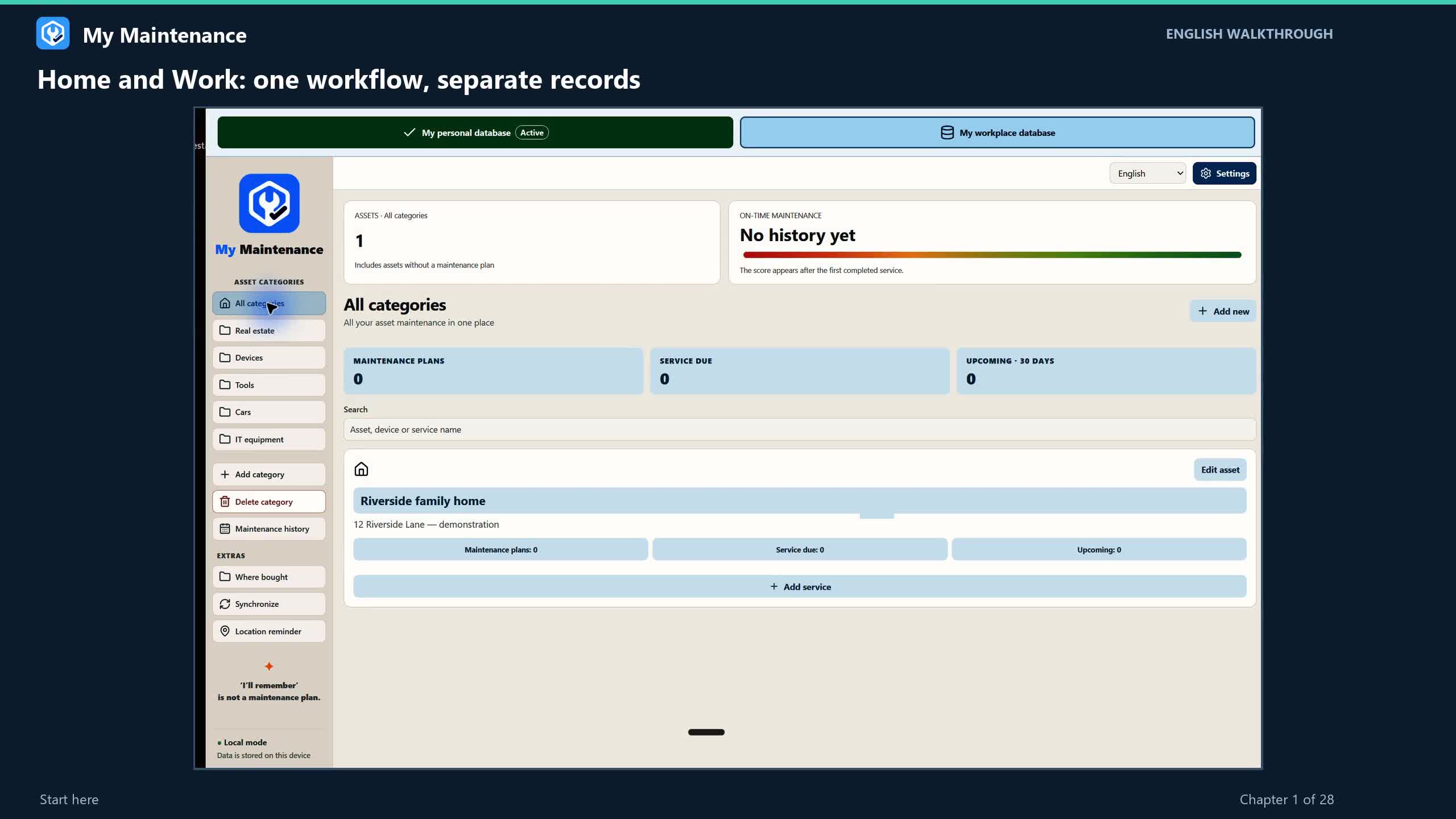 17:32VIDEO GUIDE · 28 CHAPTERSStep-by-step user guideWatch the full walkthrough or choose the chapter you need.Watch video guide Close video guide ↑
English narration and subtitles. Recorded app screens are in English. Includes the updated Location reminder.
17:32 · 28 chapters
Download videoRead the transcript
Older videos may show a previous interface. Follow the updated written guide for the current steps.
One app. Two separate databases.
The same familiar features in both. Maintenance, purchases and documents stay separate — including when you sync.
HOME
Your home, car, appliances and hobby tools. Know when maintenance is due and where to find the documents.
WORK
Equipment, tools and workspaces. Keep maintenance history, purchase details and manuals in your work database.
In the next update
AI help requires internet access and an eligible account or API key. ChatGPT, Claude and Gemini availability, limits and any charges depend on the provider. A free app does not mean free or unlimited AI service. AI is off by default. Before a request, you grant the selected provider permission to receive your selected data. You can withdraw that permission in AI settings.
Less searching. More clarity.
Attach photos and manuals directly to the relevant record.
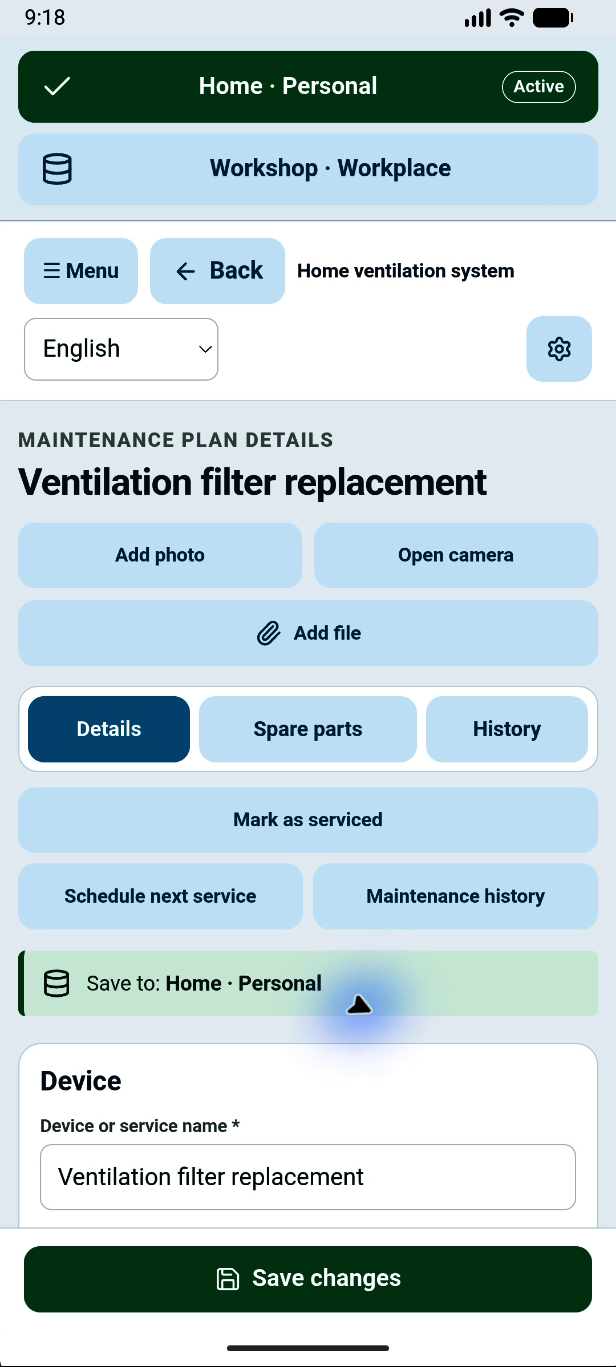
Actual app screen · in English
My Maintenance + AI
From a database to devices, spare parts and maintenance plans. AI helps when you choose.
Property · Devices · Tools
Kase 10
Your data. Your choice.
The app’s core features work on your device without internet or a My Maintenance account. Set up cloud sync if you want it. Cloud sync keeps the same information across all your devices. You can share the same database with family members or colleagues.
Your maintenance and purchase records are available offline too.
Transfer records over Wi-Fi or connect your own cloud service.
Keep your records, photos and documents together.
Choose your preferred language in the app. All six languages are free.
Help and guides
A quick answer, a detailed guide or the full video walkthrough — choose what suits you.
Good to know
Yes. The app is free and has no ads. You do not need to buy extra services to use its core features. Supporting the developer is optional.
No. Local maintenance and purchase records work offline. Cloud sync is optional; your cloud provider’s own terms apply if you use it.
No. Both spaces have the same features, but records and syncing stay separate. Simply choose the database you want to use.
Arrival reminders work on Android. You can prepare locations on Windows and transfer them to your phone using a backup.
Support the developer
I made this app for myself because I kept forgetting maintenance tasks and could no longer remember where I had bought things. Whenever I went shopping, I would also forget to buy something. Now I can set a location reminder and remember what I need. When my friends started enjoying the app too, I decided to share it with everyone for free. It turns out I’m not the only one :-) Enjoy using it!
Support via PayPal ↗Support is voluntary and does not unlock extra features.
Built for a real need.
Shared with everyone, for free.
Here to help
My Maintenance is created and maintained by an independent developer. This is the app’s official website. Links to other providers do not imply an official partnership.